


As a precision manufacturing technology, 3D printing plays a crucial role in the production of parts across numerous industries due to its advantages such as high precision, strong consistency, and versatility. To help users achieve higher-quality printing results, this article systematically explains the design methods of the 3D printing process, discussing its workflow and key design considerations in detail.
Factors to Consider in 3D Printing Design
Unlike traditional manufacturing technologies, 3D printing (additive manufacturing) offers tremendous freedom in realizing complex structures, but this also requires designers to follow a unique set of design principles (DfAM). This article will explore some important details that can improve the effectiveness of additive manufacturing. These details will help you design 3D printed parts/products and improve the entire process.
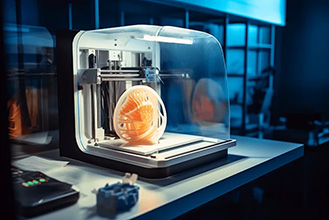
In 3D printing design, wall thickness and structural features are key to determining whether a model can be successfully printed and maintain its performance. Appropriate wall thickness ensures that the model has sufficient strength without wasting material or increasing printing difficulty.
Minimum Wall Thickness Requirements
The wall thickness must not be lower than a certain minimum; otherwise, the model will be too fragile to print. Generally, the wall thickness for photopolymer printing should not be less than 0.6–1.0 mm, while for FDM printing, it is recommended to be above 0.8–1.2 mm. Specific values need to be adjusted according to printer performance. Insufficient wall thickness not only makes the model prone to damage but also prevents the clear rendering of minute features such as text and decorative details.
Reinforcement of Load-Bearing Components
For components that need to bear loads, simply increasing the wall thickness is often insufficient. Local reinforcement should be applied by adding fillets, reinforcing ribs, etc., to make the stress distribution more uniform, thereby effectively preventing bending, cracking, or deformation during long-term use.
Wall Thickness Control for Hollow Models
When designing hollow structures, wall thickness must strike a balance between strength, post-processing efficiency, and material efficiency. If the wall thickness is too thin, the model is prone to deformation under stress or during post-processing; if the wall thickness is too large, it increases material consumption and printing time, and may also lead to resin residue during photopolymerization printing. Therefore, a stable and economical wall thickness value should be selected based on the model's size and intended use.
Cantilever and Support
In 3D printing, overhanging structures refer to areas on the model surface that exceed a certain angle of inclination and are not supported by material underneath. If the overhang angle is too large, the material may sag due to gravity during printing, affecting the forming accuracy. Generally, slopes with an angle of no more than 45° to the vertical direction can usually be printed successfully without additional support.
If the overhang angle exceeds 45°, or if there are horizontal protrusions, long-span bridging, or other structures, support material must be added to prevent printing failure. Support ensures the shape stability and dimensional accuracy of these parts, but it also increases material consumption, printing time, and subsequent cleanup work.
To improve printing efficiency and surface quality, it is recommended to control the overhang angle as much as possible in the design, reduce large-span unsupported structures, or transform steep overhangs into self-supporting ramps or arches through model optimization
Assembly and Tolerances
When 3D printing assemblable parts, designing appropriate clearances is crucial for ensuring smooth assembly. Different processes have varying clearance requirements due to differences in material shrinkage, layer texture, and thermal deformation.
For FDM printing, larger assembly clearances are typically required due to interlayer adhesion, thermal shrinkage, and potential slight warping. An interference fit clearance of 0.2–0.3 mm is recommended, while a sliding or interlocking fit clearance of 0.4–0.6 mm is suggested.
SLA printing offers higher dimensional accuracy and surface finish, allowing for correspondingly smaller assembly clearances. A clearance of 0.1–0.2 mm is generally recommended to ensure smooth fit and prevent sticking.
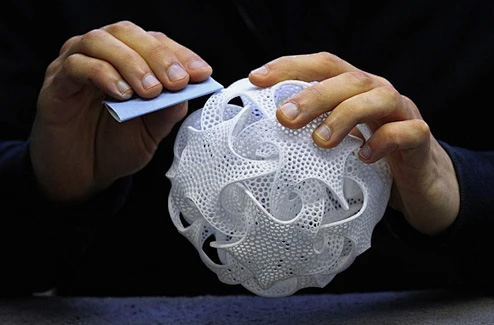
Parts produced using powder sintering processes such as SLS and MJF exhibit high strength and a slightly grainy surface. For these processes, a clearance of 0.25–0.4 mm is typically recommended to balance assembly smoothness and surface characteristics.
In general, properly setting gaps not only helps achieve smooth fit between parts but also effectively compensates for dimensional changes caused by inherent material properties and process tolerances.
Printing Direction and Mechanical Function
When designing 3D printed parts, the printing direction not only affects the success rate of the process but also directly determines the mechanical function and final performance of the part. Choosing the optimal direction requires a balance; correct printing direction design is a key step in fully realizing the functional potential of 3D printing and should be comprehensively planned in the early stages of design, taking into account process characteristics and usage requirements.
Material Limitations
There are many types of 3D printing materials, each with unique properties but also its own drawbacks. These drawbacks can affect printing results and design choices. Taking commonly used materials in FDM technology as an example, PETG, PLA, and TPU differ significantly in printing difficulty, heat resistance, and durability.
PLA is easy to print but softens easily at moderate temperatures. PETG is more durable and resistant to chemical corrosion. ABS, while tough, is prone to warping during printing. TPU has high flexibility, requiring a reduced printing speed to achieve good results. SLA resin can produce smoother details but is brittle and requires careful post-curing treatment. While engineering resins offer higher strength, they typically lack good impact resistance. SLS/MJF materials boast excellent strength, performance, and durability, but their surface is relatively rough and color options are limited. Understanding the surface treatment characteristics, flexibility, and thermal properties of each material can help you avoid printing failures and make more informed design decisions.
Cost Optimization
Good design strategies and process optimization can significantly improve production efficiency and reduce overall costs. You can effectively shorten printing time by increasing layer height, reducing infill density, and optimizing print orientation. Simultaneously, reducing unnecessary thickness and simplifying geometry can further shorten printing cycles.
Controlling material consumption is a key aspect of cost reduction. Material waste can be reduced by designing self-supporting structures, adjusting cantilever angles, and rationally setting infill patterns (such as using mesh infill). Furthermore, avoid using solid sections in non-load-bearing areas; achieve savings through smarter material distribution.
While maintaining mechanical performance, lightweight designs such as hybrid infill, internal rib structures, and minimized wall thickness help balance cost and performance while reducing part weight.
For industrial applications, topology optimization allows material distribution to better align with stress paths, achieving an optimal strength-to-weight ratio. These strategies work together to systematically reduce material usage, lower printing costs, and in the long run, reduce post-processing workload and accelerate the production process.
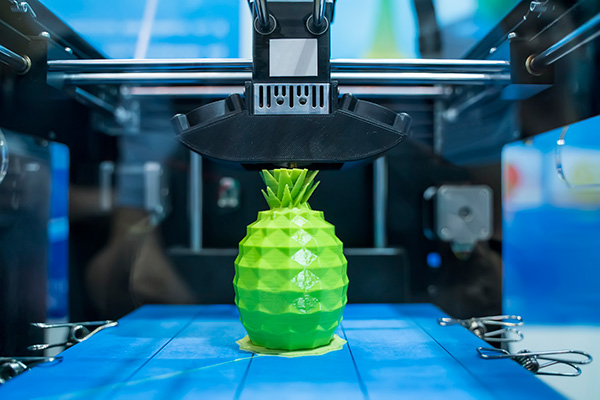
3D Printing Design Workflow Steps
Define Requirements and Constraints:Determine the part's function, operating environment, and mechanical performance requirements, while comprehensively considering printing process, material selection, budget, and time constraints.
Conceptual Design and Modeling:Create a 3D model using CAD software. At this stage, manufacturing feasibility must be considered, paying attention to design specifications such as wall thickness, overhang, and assembly gaps to avoid unprintable or insufficiently strong structures.
Design Optimization and Verification: Lightweight the model, optimize its topology, or improve support structures. Verify its performance through simulation analysis (e.g., stress, thermodynamic analysis). Perform printability checks if necessary to identify potential problems.
Format Conversion and Slicing Settings:Export the model to a common printing format such as STL or 3MF and import it into slicing software. Set key parameters such as layer height, infill density, printing speed, and supports according to material and performance requirements.
Printing Testing and Iteration: First, conduct small-scale or partial test prints to verify dimensional accuracy, surface quality, and assembly relationships. Adjust design or printing parameters based on test results until requirements are met.
Post-processing and Performance Realization: Perform post-processing operations such as support removal, surface grinding, polishing, staining, and curing to bring the parts to their final usable state.
Documentation and Knowledge Accumulation: Record key design parameters, printing configurations, and post-processing steps to form a standardized process, providing a reference for similar projects.
This systematic process balances design intent and manufacturing realities, helping to improve first-pass printing success rate, shorten development cycles, and achieve production goals of controllable quality and optimized costs.
After the design is completed, factors such as material selection and directional tolerances need to be considered before proceeding to the 3D printing stage. This section will detail the implementation steps of this process.
In addition, we will explain how to prepare the printer, record printing results, and how to contact professional service providers such as Wsrcnc to meet your various 3D printing needs.
Printer Preparation
Before printing, the equipment needs to be prepared. First, clean the printing platform to remove dust and debris to ensure strong material adhesion. Then, precisely level the printing platform to ensure a uniform first layer.
Check the nozzles for wear or blockage. If everything is normal, load the material and calibrate the resin system or extruder according to the type of material used. Thorough preparation of the printing design file helps avoid common problems such as layer inconsistencies or warping.
Post-Printing Processing
After printing, the parts need post-processing. First, remove the base and support structure. For FDM prints, a smooth surface is usually achieved through sanding; SLA prints require cleaning and post-curing. Furthermore, surface treatments such as coatings and painting can further enhance the appearance and function of the parts.
For multi-part assemblies, gluing or assembly may be required. Proper post-processing can significantly improve the overall aesthetics and practicality of the parts.
Review and Iteration
After printing, a system inspection is necessary. This inspection should include checking for dimensional deviations, layer misalignment, and carefully evaluating the match between the design and the printed result, making necessary adjustments accordingly.
Optimization can be made to slicing parameters or model settings, such as printing speed, layer height, or support structures, to improve subsequent printing quality. It is recommended to keep detailed process records for efficient problem identification and continuous improvement of printing efficiency.
If you are an engineer or designer seeking high-quality 3D printing, please contact Wsrcnc. The company provides professional and cost-effective printing services, including rapid production of functional parts and prototypes, and supports instant online quotes.
Wsrcnc strictly adheres to industry standards throughout the entire 3D printing process. From design to final product, Wsrcnc gives you complete control over the production process. The company ensures rapid delivery through optimized development cycles, achieving stable and accurate printing results regardless of the printing materials used. Furthermore, Wsrcnc consistently provides services based on advanced 3D printing design software.
Frequently Asked Questions
Q1: Which 3D printing technology should a beginner choose?
A: We recommend beginners start with FDM. It uses plastic filament, is low-cost, easy to operate, and safe, making it suitable for printing models and tools. If high precision and a smooth surface are required, consider SLA (Stereolithography) technology, but it requires resin processing and is more complex.
Q2: Why does the first layer of the print always not adhere well or peel up?
A: The main reasons are an unleveled, unclean platform or incorrect temperature. First, relevel the platform, clean it with alcohol, and ensure the nozzle distance is correct. When printing PLA, the platform can be set to 60°C, and a little solid glue can be applied if necessary to help adhesion.
Q3: What should I do if there are stringing and burrs in the print?
A: Stringing is caused by material leakage when the nozzle moves. In the slicing software, turn on the "retraction" function, setting the retraction distance to about 5mm and the speed to about 45mm/s. You can also appropriately lower the printing temperature and increase the nozzle movement speed.
Q4: How can I solve the problem of supports being too difficult to remove and leaving marks?
A: Adjusting the support settings is crucial. Increase the distance between the support and the top of the model (e.g., 0.3mm), and change the support contact surface type to "mesh" or "point". You can also try tree-like supports, which have fewer contact points and are easier to disassemble.
Q5: What if the printed size doesn't match the design size?
A: First, print a standard cube to calibrate the printer's step value. If the size is still too small, it may be due to material cooling shrinkage, especially noticeable in ABS. You can pre-enlarge the model slightly during the design phase to compensate.
Q6: What should I pay attention to when printing moving joints or gears?
A: The key is to leave adequate clearance. It's recommended to leave a 0.2-0.4mm clearance on one side between shafts and holes. Also, try to avoid adding supports to moving surfaces, otherwise the rough surface will cause jamming. It's best to print a small prototype for testing first.
Q7: When should I seek professional 3D printing services?
A: If you need special materials (such as nylon, metal), industrial-grade precision, very large models, or don't have time to set up the equipment, professional services are more suitable. They guarantee quality and are suitable for small-batch production and critical components.


